
Quick answer: You customize a Roblox character through the Avatar Editor on the website, mobile app, or console. Pick a rig type (R6 or R15), then change your face, head, skin tone, height, and outfit using items from the Avatar Shop. R15 is the better default for most players today, since it supports layered clothing, Dynamic Heads, and emotes. Most changes save right away and carry into every game you join afterward.
Reviewed against Roblox’s official Creator Docs and Avatar Shop (July 2026).
This guide covers the current Avatar Editor. It uses real height and speed numbers pulled from Roblox’s own developer documentation. Style ideas are grouped by theme instead of a random image dump, and each section explains not just what a feature does, but when it actually matters. Every step below reflects the live customization menu as of this writing, not an older layout that no longer matches what you see on screen.
What Is a Roblox Avatar?
A Roblox character, also called an avatar, is the 3D figure that represents you inside every game on the platform. It is built from separate parts, such as a head, torso, arms, and legs, and you can swap or recolor each piece on its own.
Roblox uses two main rig types. R6 uses six body parts and moves with simple, blocky animation. R15 uses fifteen parts, which allows smoother movement and supports emotes. These two rigs are not just a size difference. R15 is Roblox’s modern avatar system. Several other features depend on it. Dynamic Heads let a face show real expressions, but they only work on R15. Layered clothing lets a jacket sit over a shirt instead of replacing it, and it is also built for R15’s part structure. Most new Avatar Bundles are made with R15 in mind. If you wear an R15 bundle on an R6 avatar, it often looks wrong or does not fit at all.
In practice, most modern Roblox experiences are designed with R15 in mind, since it supports smoother animation, layered clothing, and Dynamic Heads. Unless you mainly play older or simpler games that were built around the classic R6 look, R15 is usually the better choice today. You can switch between the two anytime in the Avatar Editor, under the Body tab. You will not lose any clothing or accessories you already own. Switching rig types does not cost Robux, and you can flip back at any point if a game looks better with the older style.
| Feature | R6 | R15 |
|---|---|---|
| Body Parts | 6 | 15 |
| Animation Style | Simple, classic | Smooth, layered |
| Emotes Supported | No | Yes |
| Dynamic Heads Supported | No | Yes |
| Layered Clothing Supported | No | Yes |
| Best For | Classic look, older games | Modern games, more detail |
What Are the Most Iconic Roblox Characters?
The most recognized Roblox looks are the default starter avatars, known in the community as the classic “noob,” along with Builderman, Guest, and the Bacon avatar. These looks stuck around because they were the first thing every new player saw, and the community turned them into inside jokes rather than something to hide from. Builderman in particular carries extra weight. He represents one of Roblox’s earliest recognizable figures, tied to the platform’s founding years under co-founder David Baszucki.
How Tall, Heavy, and Fast Is the Average Roblox Character?
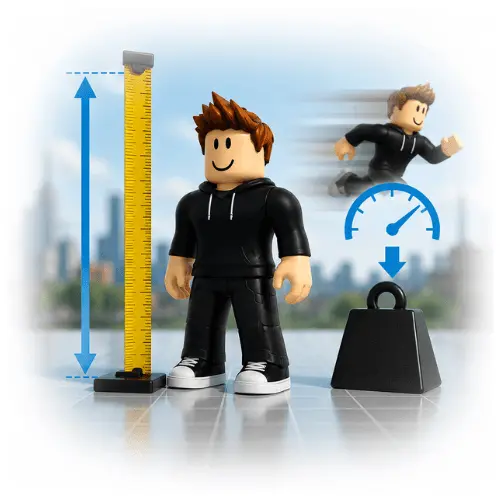
A standard avatar is about 5 studs tall. A stud is Roblox’s own unit of measurement. Developers often treat one stud as close to 0.28 meters. That puts a default avatar at about 1.4 meters, or roughly 4 feet 7 inches. Roblox does not give avatars an official weight. Mass depends on the parts and accessories you add, not a fixed number.
That said, Roblox does not lock this ratio in place. Different developers use slightly different numbers in their own games. Treat 5 studs as a close estimate, not an exact rule. According to a Roblox Avatar Settings announcement on the Developer Forum, some default rigs sit closer to 5.5 studs before manual adjustment. That is why two avatars that look similar can still measure a bit differently in-game.
Speed is easier to pin down. According to the WalkSpeed property section of Roblox’s Humanoid class reference, every avatar starts with a WalkSpeed of 16 studs per second. Game creators can raise or lower this number. So your speed can change from one game to the next, even though your look stays the same.
In practice, height differences rarely change gameplay directly in most obbies or simple combat games, since hitboxes are tied to the rig, not the visual scale. What height does affect is visibility. A taller, bulkier avatar is easier to spot in a crowded lobby or during a chase sequence, while a shorter, slimmer build can blend in more easily in busy scenes.
What Are the Basic Steps to Change My Roblox Avatar’s Appearance?
Open the Avatar tab on the Roblox website or app, then tap Customize. From here you can change your head, face, skin tone, body, and clothing one piece at a time. Changes apply the moment you select them, and Roblox saves your look automatically once you leave the editor.
In practice, appearance changes usually appear on desktop and the mobile app right away, without needing to rejoin anything. Xbox sessions and older mobile app builds are the common exception. Based on recurring reports in Roblox’s own support threads, a console or outdated app may keep showing your old look until you fully close and reopen the experience, since the sync happens on load rather than instantly.
How to Change Your Character’s Face:
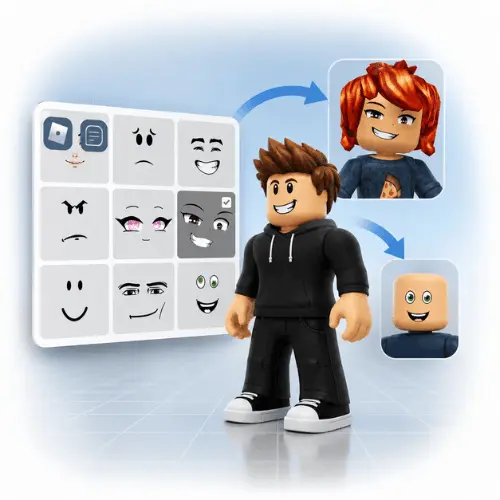
Go to the Avatar Editor and select the Face category under Head and Body. Browse the faces in your inventory, or buy a new one from the Avatar Shop, then tap it to wear it. Your avatar updates right away in the preview window.
How to Change Your Character’s Head:
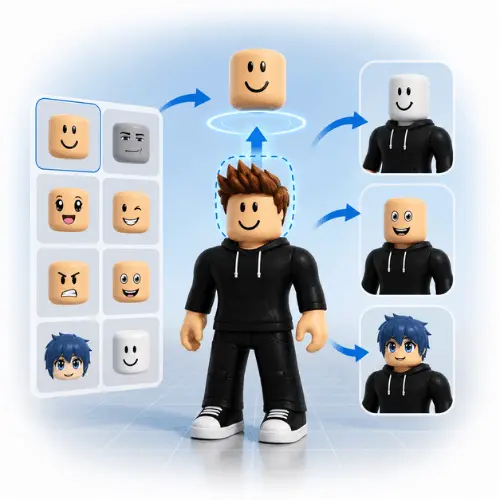
Open the Head and Body section in the Avatar Editor and pick Heads. You can choose a classic block head, a rounder head, or a Dynamic Head if you want it to support face animations tied to certain accessories. Dynamic Heads work through what Roblox calls its facial animation system, which reads certain accessories and expressions and maps them onto the head in real time. This only functions on an R15 avatar, which is another reason most players customizing today start from R15 rather than R6.
How to Make Your Roblox Character Short or Tall:
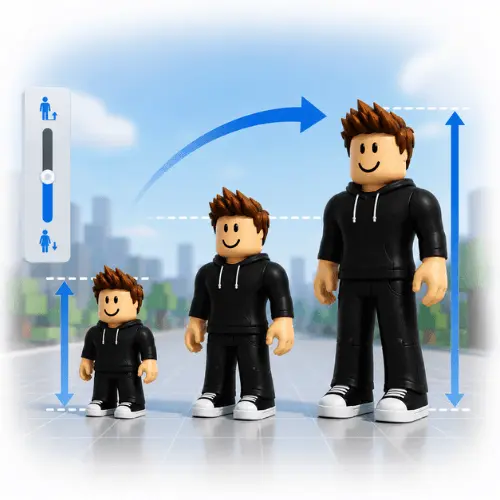
In the Avatar Editor, select Body under Scaling, then use the Height slider to adjust it. Moving the slider up makes your character taller, and moving it down makes them shorter. This scaling control is part of Roblox’s character scaling system, which only applies to R15. R6 does not support scaling at all, so this is one more practical reason to switch rigs if fine control over height matters to you.
How to Build a Custom Character Body:
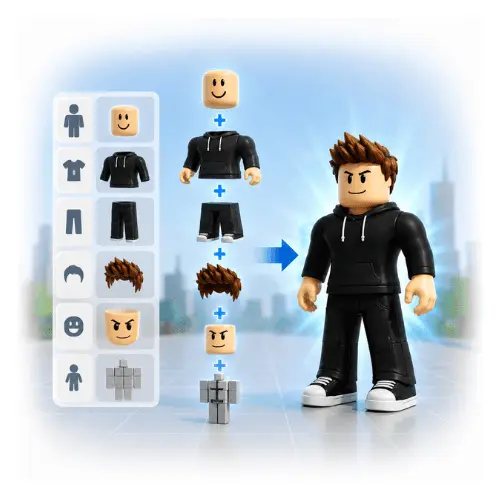
Custom bodies come from combining bundles, Rthro scaling, and layered clothing. Bundles are full outfit sets sold as one item in the Avatar Shop. Layered clothing lets you stack a jacket over a shirt or add pants under a skirt. This gives your character real depth instead of one flat texture. Rthro scaling changes proportions to look more realistic or more stylized, depending on which bundle you pick.
Bundle prices in the Avatar Shop range widely. Simple sets often cost under 100 Robux. Detailed, limited releases can run several hundred. It helps to browse a few options before you spend on one full outfit. For most players building their first custom body, a common and low-risk approach is one Rthro bundle as the base, one layered jacket or top, and a single standout accessory, rather than five or six small items stacked together, which tends to clip and look cluttered.
Can I Create My Own Clothing for My Roblox Character?
Yes. Roblox lets eligible creators upload their own shirts, pants, and other items through Roblox Studio and the Creator Dashboard, sometimes called the Avatar Catalog Creator tool. Once approved, these items can be sold in the Avatar Shop and worn by any player, including yourself.
How Do I Change My Avatar Without Leaving a Game?
Most experiences let you open a quick Avatar Editor from the in-game menu. It is usually reached through the Roblox icon or a menu button in the corner of the screen. This lets you swap outfits or accessories mid-session without quitting back to the home screen.
Avatar Marketplace, UGC Limiteds, and the Roblox Economy.
A few terms get used loosely by players but mean specific things inside Roblox’s system. The Avatar Shop is the storefront where you browse and buy items. The Avatar Marketplace is the bigger system behind it. It covers the shop itself plus the catalog data creators publish into. UGC Limiteds are user-made items released in a capped amount. Because supply is limited, they can gain resale value inside the Roblox Economy, which is the overall system of Robux, trading, and item pricing across the platform.
In practice, this difference matters if you are buying for looks versus buying as a small investment. A regular Avatar Shop item is priced to stay flat. It is meant to be worn, not resold. A UGC Limited can rise or fall in value depending on demand, so treat it differently than a normal outfit piece. Beginners often assume every item works the same way. That mix-up is one of the more common and avoidable mistakes covered further down.
Roblox Character Maker and Creator Tools, Free Options Compared.
| Tool | Cost | Best For |
|---|---|---|
| Official Avatar Editor | Free | Everyday customization, safest option |
| Roblox Studio | Free | Building and rigging original characters for games |
| Third-party Avatar Generators | Varies | Quick style previews outside the platform |
For most players, the official Avatar Editor and Roblox Studio cover every real need. Stick to these for anything you plan to keep or wear long term. Third-party tools can be fun for a quick style preview, but they do not connect to your real inventory or Robux balance, so treat them as a mood board rather than a shopping cart.
Where Can I Find Free Items for My Roblox Character?
Roblox regularly adds free items tied to real-world events, promotions, and its own anniversary celebrations. Check the Avatar Shop and filter by price to find current freebies. The selection changes often, and older links go dead fast. Some experiences also hand out free promo items just for joining. Watch official Roblox social accounts and the newsroom for these limited-time codes before they expire.
How Do I Change My Roblox Character to a Girl or Boy?
The gender toggle in Account Settings only changes the starter look for brand new avatars. If your account is not new, switching the toggle will not reset an avatar you already customized. To change your look, go back into the Avatar Editor and manually swap the body, face, and clothing to match the style you want instead.
How Do I Change My Character’s Gender on Mobile?
Open the Roblox app, tap the three-dot icon, then go to Settings and Account Info. The gender option sits under Personal Info. Just remember it only affects future starter avatars, not your current one.
Male, Female, and Gender-Neutral Avatar Ideas.
There is no rule tying any bundle, face, or item to one gender. Plenty of players mix “male” and “female” tagged items freely, since Roblox does not restrict what you can wear based on your account settings. Build the look you actually like, borrowing pieces from either side of the catalog. A shirt marketed toward one style filter works exactly the same on any avatar. The game only checks whether an item fits your rig type. It does not check who is wearing it.
How to Make Your Roblox Character Look Cool?
A good fit usually comes down to picking one clear theme and sticking with it instead of layering ten unrelated items. Start with a base outfit, add one standout accessory, and match your colors before you add anything else.
Y2K Avatar Ideas:
Go for low-rise pants, tinted sunglasses, chunky sneakers, and a graphic tee. Add a small shoulder bag and butterfly hair clips for the finishing touch.
Emo and Grunge Avatar Ideas:
Pair a black or plaid layered outfit with a beanie or fringe hairstyle. Studded belts, fingerless gloves, and darker skin tones round out the look.
Preppy and Baddie Avatar Ideas:
Think polo shirts, pleated skirts or tailored shorts, and clean sneakers. Add subtle accessories like a headband or small handbag instead of anything oversized.
Anime-Inspired Roblox Character Ideas:
Search the Avatar Shop for bundles tagged with bold hair colors and stylized faces. Many creators sell anime-style hair and eyes separately, so you can mix them with a plain outfit for a cleaner result.
Aesthetic and Pastel Avatar Ideas:
Pick soft color palettes, like light pink or lavender, and match your skin tone to the outfit rather than fighting it. Pastel wings or small floating accessories add polish without overwhelming the fit.
Matching Avatar Ideas for Friends:
Pick one shared color or theme, then let each person choose different items within it. This keeps the group looking connected without forcing everyone into the exact same outfit.
Best Avatar Combinations Under 100 Robux.
You do not need a big budget to look put together. A clean, low-cost combination usually works better than five bargain-bin pieces stacked on top of each other.
- A plain colored shirt, matching pants, and one accessory, such as a hat or glasses, typically lands under 100 Robux total and reads as intentional rather than cheap.
- A single Dynamic Head with a neutral face swap is often a better use of a small budget than several cheap face items, since the head does more visual work on its own.
- Sale-section bundles from past events regularly drop into this range once they are no longer featured, so checking older items alongside new ones stretches a small budget further.
Best Avatar Setups by Game Genre.
Different game types reward different builds, and this is one area where copying a generic aesthetic look can actually work against you.
FPS and combat games.
Keep accessories small and close to the body. Large hats, wings, or oversized bags can block your own view of the screen or make you an easier target to spot. A slim Rthro build with minimal loose accessories is usually the practical choice here.
Obbies and parkour games.
Avoid bulky Rthro proportions if the obby has narrow jumps, since a wider hitbox can catch on tight corners. Slimmer or classic R15 proportions tend to move more predictably through narrow courses.
Roleplay and social games.
This is where detailed bundles, layered clothing, and Dynamic Heads matter most, since you spend more time standing still and being seen. Full aesthetic looks, from Y2K to pastel, get the most value in these spaces.
Common Roblox Avatar Customization Mistakes.
Novelty and Meme Roblox Avatars
The Bacon avatar remains one of the most referenced joke looks on the platform, often used to poke fun at new players. Headless avatars, made using rare headless accessories, and the classic Guest look are also common novelty picks players use for videos, trolling, or nostalgia. These looks show up constantly in obby and troll-tower style content. A player will swap into a bacon or headless look purely for a laugh, then switch back to their real fit once the video ends.
Downloading, Printing, and Using Avatar Images
Official avatar renders can be saved directly from your profile page or the Avatar Shop for personal use, like a profile picture or a printable coloring sheet. Per Roblox’s Terms of Use, reselling official artwork or claiming it as your own is not allowed. If you want a transparent PNG or SVG version, use your profile thumbnail and a basic background remover tool. Avoid downloading files from unofficial sites, since many of those carry malware risk.
Roblox Character Names, Ideas and Generator Tips.
A strong username usually pairs a short word from your chosen aesthetic with a number or simple suffix. Most common words are already taken. Try combining a color, a mood word, or a style term with initials or a birth year. A pastel-themed player might try “lavender.fit” or “mossy.aura.” A Y2K-inspired name could lean toward “static.glitch” or “lowrise.dreams.” Keep it short enough to read clearly in chat, since long usernames get cut off in the player list.
Choosing Between R15 and R6, and What Roblox Might Change Next.
Choose R15 if you play mostly current games, want emotes, want Dynamic Heads for facial expressions, or want to use layered clothing and modern bundles. This covers most players in 2026.
Choose R6 if you specifically play older or classic-style games built around the six-part rig, or you simply prefer the blocky, nostalgic look and the games you play still support it fully.
If you are just starting out, keep your first look simple. Pick one bundle as a base, add one accessory, and preview everything with Try On before buying. Expanding a simple look later is easier than undoing a cluttered one.
The most common mistakes beginners make are buying Rthro items without checking rig compatibility, over-stacking accessories, and assuming every purchase works like an investment. Avoiding these three alone puts you ahead of most new players.
What Roblox may change next is already partly underway. Roblox has been rolling out its Avatar Joint Upgrade, which replaces the older fixed-joint animation system with physics-based constraints. According to Roblox’s own Developer Forum announcement, arms and legs can now react to the environment instead of only following a set animation. This is already producing more natural movement and optional ragdoll effects in supporting games. As this rollout continues through 2026, expect more games to use physically reactive avatars as the new normal, not the exception.
Sources and References.
Roblox Support, Browser: Customizing Your Avatar
Roblox Support, Mobile: Customizing Your Avatar
Roblox Creator Docs, Humanoid.WalkSpeed
Roblox Creator Docs, Player.Character
Roblox Creator Hub, Create with Roblox Studio
Roblox Developer Forum, Avatar Settings Announcement
Roblox Developer Forum, Avatar Joint Upgrade Announcement
Roblox, Terms of Use